Saturday, November 17, 2012

Microsoft launches 60-day trial for Office Professional Plus 2013

Microsoft launches 60-day trial for Office Professional Plus 2013


Microsoft signed off on the release to manufacturing build of Office 2013 last month, meaning the coding and testing phase ahead of the productivity suite’s launch is over. Although general availability is slated for the first quarter of 2013, those who want an early taste can now download a full  copy of the Professional Plus edition -- containing Word, PowerPoint, Excel, Outlook, OneNote, Access, Publisher, and Lync -- as a 60-day trial


The download is available in 32- and 64-bit flavors from Microsoft's TechNet Evaluation Center. You’ll need to login with your Microsoft credentials, fill in a form with your name and country of residence, and choose the desired version and language, before being served with a download link and a product key to activate the trial.
Instead of an installer, Microsoft decided to release the software as a disc image. Windows 8 offers native support for .img files, so users already running the latest version of the operating system will be able to access the installer with a simple double-click. Everyone else will need third-party software like ImgBurn or Daemon Tools, both available for free, to either burn it into a disc or mount it as a virtual drive.
Microsoft Office 2013 requires Windows 7, Windows 8, Windows Server 2008 R2, or Windows Server 2012 to run -- Windows XP holdouts are out of luck. Standalone versions will be available at $139.99 for the Home & Student Edition, $219.99 for Home & Business and $399.99 for Office 2013 Professional. The suite will also be available as part of an Office 365 subscription package for either $99.99 or $149.99 per year.
Download: Microsoft Office Professional Plus 2013 Trial


read more...

Monday, November 12, 2012

The Top 10 Android Apps of the Week – November 5 2012


The Top 10 Android Apps of the Week – November 5, 2012

This week’s picks for our Top Android Apps of the Week cover a wide range of genres. We’ve got apps to increase your productivity, historical apps, and apps to keep the kids busy. There’s a little something for everyone so here we go with our list of the Top 10 Android Apps of the Week…

1. Google Calendar

This one’s pretty self-explanatory as you can now experience Google Calendar in all its glory on your Android device. The app syncs to your Google accounts to display events, important dates, and even allows you to email event guests with customized messages. It’s a free app and available to use if your running Android 4.0.3 or later.

2. HISTORY Here

The History Channel released a cool app this week with HISTORY Here. The app is an interactive guide to thousands of historic locales and is chocked full of great info on architecture, museums, famous homes and monuments. If you’re planning a trip or are a history buff History Here is a great app to have on hand and it’s free to download on Google Play.

3. Hotels by Orbitz

If you do a lot of travelling chances are you’ve heard of Orbitz, and now you can book a hotel on the go with the official Hotels by Orbitz app. The app gives you exclusive mobile deals, lets you browse by location or best value, and is very simple to use. It’s a quick and easy way to book a hotel room and it’s free to download on Google Play.

4. Fabrik Cloud eBook Reader

If you’re in the market for an eBook reader that can read from the cloud then you may want to take a look at Fabrik. This handy little eBook reader lets you customize your reading experience, works with dropbox, and supports several different formats. It’s a great looking eReader and you can get it for free on Google Play.

5. Spacedraw

If you’re into 3D modeling Spacedraw is the only app that lets you do it from your phone or tablet. It’s a full-featured 3D modeling app that lets you do all kinds of cool things and it works much better than I ever expected to be honest. I was into 3D modeling for years and this app is a must-have for anyone that enjoys playing with polygons and extruding surfaces. There’s a free version of Spacedraw you can checkout while the full version will only set you back $4.99.


6. MyNBA2K


The MyNBA2K app extends your NBA 2k13 experience as a companion app to the console game. You can play 9 mini-games for virtual currency and then use that currency to buy new skills and swag for use in the game. It’s free, it’s fun and you can get it on Google Play.

7. Yo Gabba Gabba! Glow Dancing!

We covered this one earlier in the week, and as simple as it is the kids really dig it. The Yo Gabba Gabba! Glow Dancing! app lets your kids boogie down with the Yo Gabba Gabba crew, and it’s a great way to keep the little ones occupied. No free version of this one, but the full version will only set you back $2.02.

8. Beintoo

If you’re looking for deal Beintoo can help you find it. The app works by turning the time you spend with your apps into virtual currency which can then be redeemed in stores. It looks like a good way to get some deals before the holiday season, and it’s free to use.

9. UglyBooth

We’ve seen FatBooth, MixBooth, and Aging Booth… now we have UglyBooth. The newest face changing app from PiVi & Co. let’s you warp, stretch, pimple-ize, and uglify your face or the face of your friends. It’s a good app for a laugh and it’s free to download.

10. easyFocus

easyFocus is a new app from Color Bracket that lets you produce SLR like focus & defocus effects on your photos. There are several different focus effects, a photo enhancement option, and it’s quick & easy to use. You can pick up easyFocus for free on Google Play.
read more...

5 Tasks That Should Have Been Simpler in Windows 8

5 Tasks That Should Have Been Simpler in Windows 8

I’ve been using Windows 8 for a while now and even though I like using it, there are still some really annoying aspects of the OS that I just don’t get. For instance, why is it so hard to do things that used to be so easy? Restart your computer? Print from a Windows app? The OS has been “re-imagined”, but I find some of the new ways to get simple things done frustrating. Here’s my gripe list for Windows 8.
windows 8

 Shutting Down and Restarting Windows 8


I don’t restart or shutdown my computer often, but it really should be easier than opening the Charms bar and having to click three times! I’m not really sure why Microsoft didn’t put a shut down and restart option on the Start Screen somewhere just click they have the Lock and Sign out options. Instead you have to open the Charms bar, click on Settings, then click on Power and then click on Restart or Shutdown.
shutdown windows 8

You can add the shutdown and restart options to the right-click menu or create shortcuts on the Start Screen, but at the end of the day, it should have been a simpler task to accomplish


Printing from Windows Apps

This one really gets me too! It took me a while to figure out how to print from a Windows app. I tried my best not to search on Google because I wanted to figure it out myself. I assumed it would be easy enough since that is something that just about everyone under the sun does quite often.
Devices print
Again, you have to open the Charms bar and click on Devices. There you will see your list of printers. Not very intuitive if you ask me. Thankfully, you can still press CTRL + P to print while inside of Windows apps. If you’re trying to print a PDF using the built-in Reader app, that’s how you do it!

Closing Apps in Windows 8

Going from clicking the X in a normal desktop app to closing apps in Windows 8 is going from Earth to Mars. Basically, Microsoft’s perspective is that you can just leave Windows apps open all the time and switch back and forth between them. I personally don’t like that idea too much.
There are a couple of ways to close an app in Windows 8. The easiest way is to move your mouse up to the top center of the screen, click your left mouse button and then start dragging down. The app windows becomes smaller and then simply disappears once you reach the bottom of the screen. You’ll be brought back to the Start Screen once the apps closes.
close running apps


You can also read my previous post on using the hot corners on the left side of the screen to close running Windows 8 apps. However, that method still requires you to manually close each app. What if you have 20 apps open? Check out the last tip in my 5 tips for speeding up Windows 8 to see how you can close all running Windows apps at once.

Booting to Safe Mode

Gone are the days of pressing F8 to get your list of boot options. Now you have a multi-step process to get into Safe Mode in Windows 8. First, you have to boot into System Recovery Options. Once you are there, you then have to go through a bunch of prompts before you finally get the option to boot into Safe Mode.
safe mode


The new boot screens are a lot nicer looking than previous versions of Windows, but it makes the process a lot more complicated. Getting into Safe Mode used to be so easy, now it’s not!

Playing DVDs

Microsoft removed the ability of Windows 8 to play DVDs due to licensing costs, but if you have included something in Windows for that long, just removing it without any clear guidance is frustrating. Obviously, most consumers buying new Windows 8 PCs won’t be affected because the manufacturer will probably install some kind of DVD playing software.
However, if you are upgrading to Windows 8, even Windows 8 Pro, you still either have to download third-party software or purchase the Windows Media Center add-on pack. It’s not that expensive for the add-on pack and you can always download a program like VLC media player, but it is definitely confusing to novice users.
Over time, I’m sure everyone will get used to these new ways of doing things, but for right now, it’s something that makes me feel I have to do extra work. What do you think? Do you like Windows 8? Any tasks you feel take longer in Windows 8 than in previous versions? Let us know in the comments. Enjoy!


read more...

Microsoft's secret OS project Midori is still alive and moving forward


 Microsoft's secret OS project Midori is still alive and moving forward

Microsoft is most commonly associated with developing Windows although few people know that Redmond has also been working on another operating in secrecy for several years. It’s been more than four years since we last heard about project Midori but we have now learned that it’s still very much alive and moving forward, according to ZDNet’s well-sourced Mary Jo Foley.
For those unfamiliar, Midori is a new operating system believed to be designed around Singularity, which was a Microsoft Research microkernel operating system. The under-development OS was (and maybe still is) overseen by senior vice president of technical strategy Eric Rudder. At its heart, it is believed that Midori is a distributed, concurrent OS.
The operating system was referenced during a presentation last month at the OOPSLA 2012 conference. A number of Microsoft employees presented a paper during the event titled Uniqueness and Reference Immutability for Safe Parallelism. In it, Microsoft outlined what is described as a prototype extension to C# that facilitates security and parallelism.
"Our type system models a prototype extension to C# that is in active use by a Microsoft team. We describe their experiences building large systems with this extension....
"A source-level variant of this system, as an extension to C#, is in use by a large project at Microsoft, as their primary programming language."
Additionally, a recent Microsoft job description called for a software architect to help develop a concurrent programming model. That excerpt has been reproduced below.
"This programming model is a core component of a new, novel operating system, 99% of which is written in type- and memory-safe C#. A core principle we add to managed code is that 1st class, statically enforced concurrency-safety must become a peer of type- and memory-safety. This role demands innovation at each layer of the software stack: programming model abstractions, scheduling (kernel and user-mode/runtime), message passing and asynchrony more generally, shared-memory, data and task parallelism, distributed parallelism, heterogeneity (including vectorization and GPGPU), interaction with processor architecture, feedback directed optimizations, and even language design and compiler implementation."
Foley says she discovered the OOPSLA 2012 paper through blog posts from Rob Jellinghaus and Joe Duffy, two people thought to be working on Midori. The person that tipped her off to the blog posts, however, wished to remain anonymous.
She concludes that not all internal Microsoft projects make it to production. But when you consider just how long Microsoft has been working on Midori, odds are that it will eventually see the light of day at some point in the future.

read more...

BlackBerry 10 handsets confirmed for January 30 launch

BlackBerry 10 handsets confirmed for January 30 launch

Research In Motion will launch its new line of BlackBerry 10 smartphones on January 30, the company has announced.

The release of the long-awaited devices will coincide with the official release of RIM's new mobile platform in a launch that will be synchronised in multiple countries around the world.
The twice-delayed event will see RIM unveil two smartphones and the platform that powers them.
The first devices are reported to have touchscreens, while phones equipped with the mini keyboards typically favoured by BlackBerry users will come later.
RIM, BlackBerry's makers, said that the new devices will be faster and smoother and will have a well-stocked app store by the time of their release.
The company's fortunes have tumbled over the last two years as its devices have been overtaken by Apple's iPhone and by Android-based devices.
Last week, RIM said the new platform and devices had received US government security clearance, meaning that US and Canadian government agencies can equip their staff with the phones as soon as they are ready.
RIM began carrier tests on the new phones last month.
Thorsten Heins, president and CEO of Research In Motion, said: "Our team has been working tirelessly to bring our customers innovative features combined with a best-in-class browser, a rich application ecosystem, and cutting-edge multimedia capabilities. All of this will be integrated into a user experience – the BlackBerry Flow – that is unlike any smartphone on the market today."
He added: "We are looking forward to getting BlackBerry 10 in the hands of our customers around the world."
The release date for the phones is not yet known.


read more...

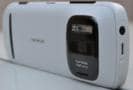
41-megapixel Nokia 808 PureView now available for Rs. 25,000

41-megapixel Nokia 808 PureView now available for Rs. 25,000

Nokia 808 PureView, the phone best known for its 41-megapixel camera is now available from online retailer Flipkart for Rs. 25,000 only. That's a significant price cut from its launch price of Rs. 33,899. Interestingly, as of filing this report, the official Nokia online store continues to sell it for the earlier list price.

Aside from the camera that has won rave reviews, the Nokia 808 PureView features a 4-inch 640x360 display, a 1.3 GHz single-core processor, 512 MB of RAM and 16GB of on-board memory that is expandable using a microSD card. Unfortunately, the phone runs on the dated Nokia Belle (Symbian OS 10.1) platform. While it was difficult to recommend the Nokia 808 PureView at its earlier price, at Rs. 25,000 it is definitely worth another look, especially for photography enthusiasts.

Nokia's PureView technology will also be seen in the forthcoming Lumia 920. The PureView technique involves taking a full image and oversampling it to the effective resolution you've selected. Oversampling an image means combining adjacent pixels into one. The more pixels you combine, the more accurately the resultant pixel represents real-world information. With PureView, Nokia seems to have perfected this technology, as we found out in our Nokia 808 PureView review.

 Nokia 808 PureView Technical Specifications

  • 4-inch AMOLED Capacitive Touchscreen
  • 1.3 GHz ARM 11 Processor
  • 512MB RAM
  • 16GB internal storage
  • Expandable Storage Capacity of 32 GB
  • 41 MP Primary Camera, 0.3 MP Secondary Camera
  • Symbian Belle OS 10.1


read more...